Gemini vs ChatGPT for Photo Transforms: Same Prompt, Both Tested
Every prompt list online seems to pick a side: “Gemini prompts” or “ChatGPT prompts,” as if the two spoke different languages. So we ran an experiment: the exact same figurine transform prompt, word for word, in both tools, with a real travel photo.
Short answer: the same prompt worked in both. The details of how each tool behaves, though, are worth knowing before you pick one for a project.
The Test
We used a full-body travel photo and a prompt from our library — turn the person into a highly detailed collectible figurine, studio product shot, with the usual identity-preservation clause:
Transform this photo of me into a highly detailed collectible figurine version of
the person, displayed as a studio product shot, keeping the face recognizable.
Keep my exact facial features, do not change my face.
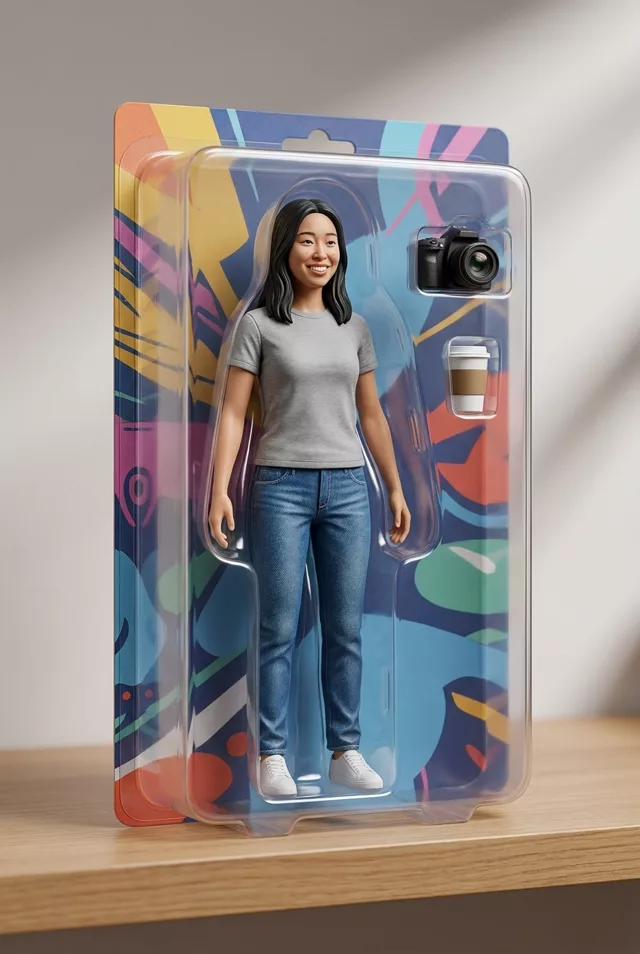
Both tools returned a genuinely impressive figurine: face preserved, outfit and pose intact, background scenery cleverly reinterpreted as diorama props. If you posted the two results side by side, most people couldn’t tell you which tool made which.
What’s the Same
- Prompt language. Style descriptions, lighting terms, identity clauses — all of it transfers 1:1. You don’t need to “translate” prompts between tools.
- The identity rule. Both models drift from your real face if you skip the “keep my exact facial features” clause, and both respect it well when present.
- Photo requirements. Both need a clear, well-lit subject. A photo with no person in it will make either model invent one — we learned that the hard way when a food photo plus a “photo of me” prompt produced an entirely fictional man enjoying our lunch.
What’s Different
- Trend presets. Gemini’s app pushes one-tap trend styles (Polaroid, figurine and so on). Convenient, but they can override your pasted prompt if you use them in the same conversation. In ChatGPT you’re always working from your own words.
- Chat context stickiness. In our testing, both tools carry style elements from earlier images in the same chat, and Gemini’s presets amplify this. Whichever tool you use: new project, new chat.
- Access and limits. Free tiers, generation limits and image resolution change frequently on both sides — check what your account currently gives you rather than trusting any blog’s table, including ours.
Where Both Fell Short the Same Way
Words on packaging. Our boxed-figurine test asked for a toy-box backing with a name printed on the card. Back came a convincing blister pack with colorful abstract shapes exactly where the lettering should have been — while the accessory compartments and the clear plastic shell landed perfectly. Concrete visual instructions get followed first; anything that needs spelling gets approximated. If a word matters, read how to stop AI images adding text first.
The retry lottery. Two runs of one prompt in one tool differed more than one run in each tool. Before deciding that Gemini or ChatGPT is bad at your face, regenerate two or three times where you already are.
A Control Prompt Worth Running First
If you have access to both and want to pick one for a real project, don’t start with the fun prompt. Start with a baseline that isolates the one thing you can’t fix later — your face:
Transform this photo of me into a studio portrait against a plain neutral
background, soft even lighting, nothing else changed. Keep my exact facial
features, do not change my face, do not beautify me.
Run it in both, on the photo you actually plan to use. Whichever tool hands back a face you’d accept unstyled will hand back a better styled result too. If both disappoint here, the problem is your source photo, not the tool.
Which Should You Use?
Whichever one you already pay for or use daily. The style knowledge lives in the prompt, not the tool — that’s exactly why we write prompts to be model-neutral. If you have access to both, run the same prompt in each and keep the better result; generation quality varies more between individual attempts than between the two tools.
Every prompt in our prompt library works in either tool, and the prompt generator builds custom ones the same way.
FAQ
Do photo-to-video prompts also transfer between tools? The animation step happens in different tools (Kling, Veo and similar image-to-video models), but the same principle holds: motion descriptions transfer, and each tool adds its own flavor to the result.
One tool keeps refusing my photo — why? Both apply safety filters around photos of real people, and they’re triggered slightly differently. If one refuses a legitimate edit of your own photo, trying the other tool with the same prompt often just works.
Which is better for faces? In our tests neither was consistently better. Face fidelity depended far more on the source photo — sharp, well-lit, face clearly visible — than on the tool.