How to Make an AI Hug Video From an Old Photo
The AI hug video is one of those trends that sounds gimmicky until you see one made from your own family photo. You take a still image of two people — you and a grandparent, old friends, a parent holding you as a baby — and an image-to-video model animates them turning toward each other and hugging.
It went viral in 2025, and for good reason: for photos of people who have passed away or who live far apart, a few seconds of movement can be genuinely moving. Here’s how to make one, and how to do it respectfully.
A Quick Word on Consent
Because this trend often involves other people, the rule matters more than usual: only animate photos of yourself and people who gave you permission — or, for someone who has passed away, where the family is comfortable with it. This is a tool for honoring memories, not for putting words or actions on someone without their say. When you share the result, say it’s AI-generated. Most families find these videos touching precisely because they know what they are.
What You Need
- A photo with both people visible, ideally standing or sitting near each other
- An image-to-video tool: Kling, Google Veo (via Flow or the Gemini app), and similar models all handle this well and typically offer free credits to start
- Two minutes of patience per generation
If the photo is old and damaged, restore it first — a clean, sharp input produces dramatically better motion. We covered that whole workflow in our restore-and-animate guide.
Step-by-Step
1. Prepare the photo. Crop so both people fill most of the frame. If they’re on opposite edges of a wide shot, the model has to move them a long distance, which is where warping and weirdness creep in.
2. Upload it to your image-to-video tool. Choose the image-to-video mode (not text-to-video) so the model starts from your actual photo.
3. Use a calm, specific motion prompt. This one works reliably:
The two people in the photo turn toward each other, smile warmly, and
embrace in a gentle hug. Slow, natural movement. Keep their exact faces,
features, clothing, and the original background unchanged. Soft, subtle
camera movement only. No new people appear.
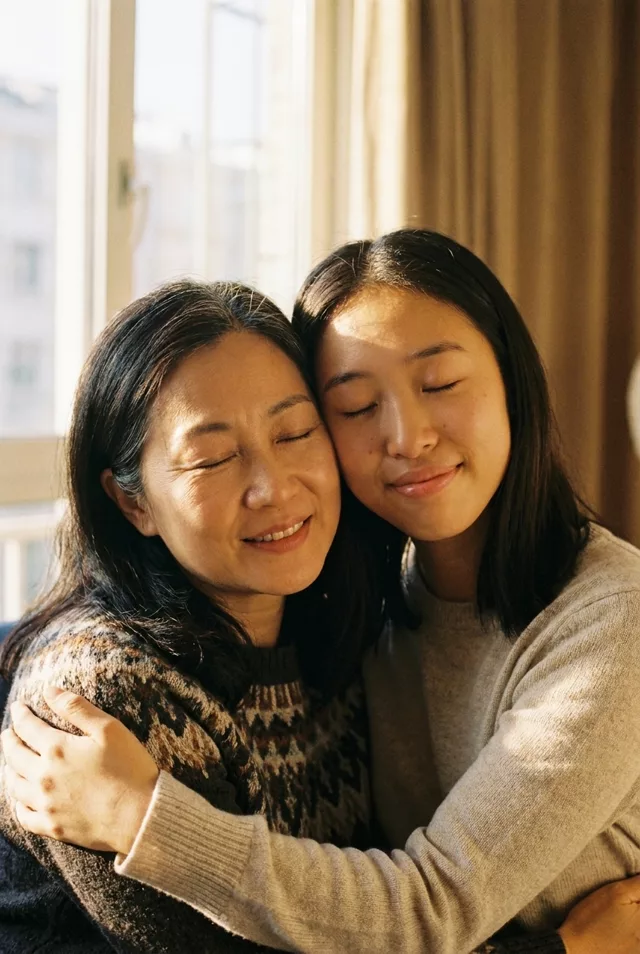
4. Generate a 5-second clip first. Short clips are cheaper in credits and drift less. If the 5-second version looks good, you can extend it or regenerate at 10 seconds.
5. Retry with the same prompt if needed. Motion generation is even more variable than image editing. Two or three attempts is normal; keep the best one.
Prompt Tips That Make the Difference
Describe less, not more. “They hug gently” outperforms a paragraph choreographing every arm. Over-specified motion prompts confuse the model into jerky, puppet-like movement.
Ask for slow motion. Words like “gentle,” “slow,” and “natural” suppress the sudden lunges that ruin these clips. Fast motion is where faces smear.
Lock everything else down. The identity clause — keep faces, clothing, and background unchanged — does double duty in video: it protects likeness and stops the background from morphing mid-clip.
Mind the hands. Hands are still the hardest thing for video models. If fingers glitch, regenerate rather than trying to prompt-fix it; it’s usually a bad roll, not a bad prompt.
Ideas Beyond the Hug
The same technique works for other small, emotional gestures: a wave, a nod and smile, blowing out birthday candles, two people turning to look at the camera. Subtle beats dramatic every time — a slight smile from a 1970s photo of your grandmother lands harder than any elaborate animation.
If you want variations, our prompt library has a memory-video section with tested motion prompts, and the prompt generator can build one around your specific photo type.
FAQ
Which tool should I use for hug videos? They’re all capable. Kling is popular for this exact trend and handles two-person interaction well; Veo tends to produce very natural, subtle motion. Most tools offer free credits, so try your photo on two of them and compare — the same image can succeed on one model and fail on another.
Can I animate a photo where the people were never actually together? Technically some tools accept two separate photos and merge them, but results are inconsistent and it raises exactly the consent issues we flagged above. We recommend sticking to real photos of real moments.
Why do the faces change during the video? Identity drift over time is the video version of the classic likeness problem. Shorter clips, slower motion, and explicit “keep their exact faces unchanged” wording all reduce it. If a specific frame goes wrong, trim the clip — the first seconds are usually the most faithful.