The "I'm So Sorry" AI Photo Trend — How to Make the Carousel
The format is a photo carousel, and the joke lives in the order of the slides. The first slide is a polished, glamorous version of you. Each slide after it takes away one improvement. The last slide is the real photo, with the caption “I’m so sorry”.
Bored Panda reported on 24 October 2026 that the trend emerged in August and took off in October (Bored Panda). It is everywhere this Halloween week because costume photos suit it so well. A guide published on 23 October describes the method: start from your own original photo every time, and leave out one improvement per version (aiopzak).
We built one from our AI stand-in model’s everyday selfie, the same grey-T-shirt photo that is the before image on 42 of the prompts in our prompt library. Here is what each slide took, and the one slide that needed a second try.
The Carousel We Made
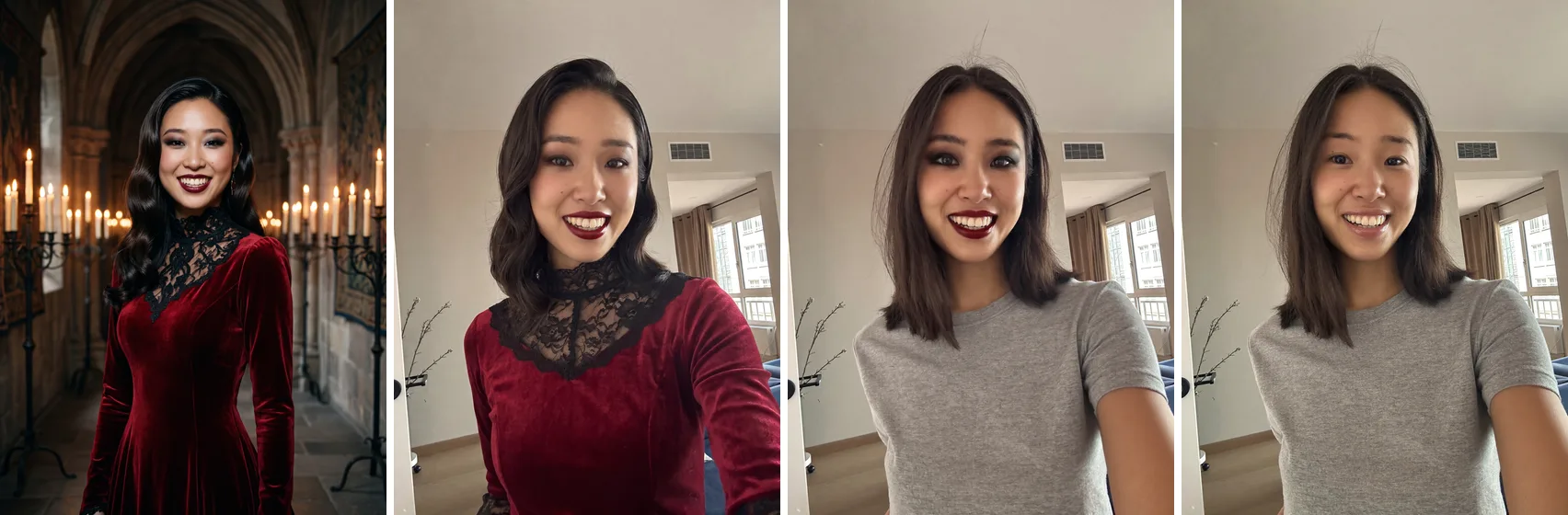
Four slides is enough. Each one has a single job, so a viewer can see exactly what was taken away.
Plan the Lies Before You Generate Anything
Write down the improvements you want on slide 1, then decide what order to remove them in.
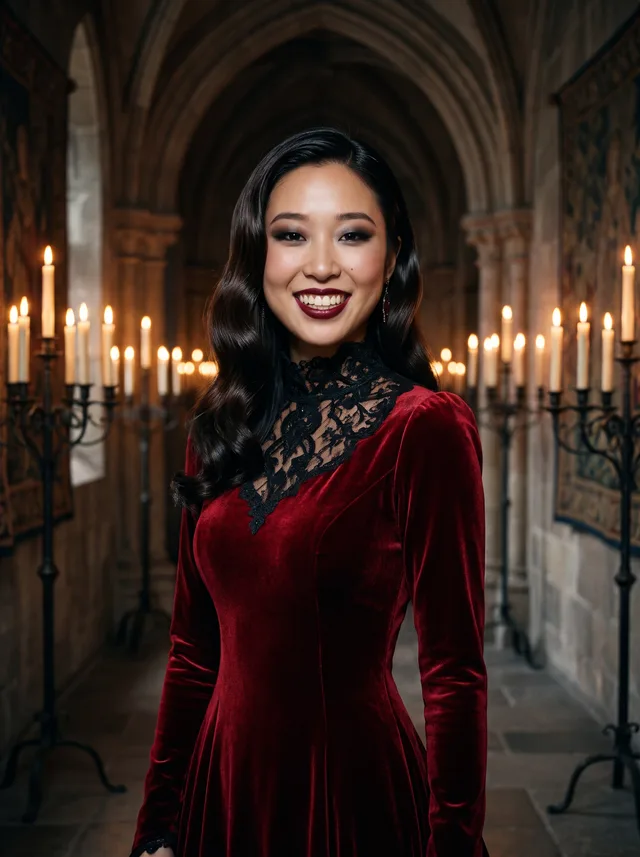
Ours were:
- The place — a gothic castle hall instead of an apartment
- The costume and hair — a red velvet gown and glossy waves
- The makeup — dark red lipstick and smoky eyes
Remove the biggest lie first. The castle goes on slide 2, so the drop from slide 1 to slide 2 gets the first laugh. The makeup goes last, so slide 3 is almost you, and the final slide lands as a small, honest step rather than a jump.
Generate Every Slide From the Original
This is the step most likely to go wrong. It is tempting to make slide 1, then edit slide 1 to make slide 2, and so on down. Don’t. Every edit of an edit redraws the face again, and small changes pile up — the same compounding we saw when chaining video clips from a last frame.
Upload your original photo for every slide, and change the prompt instead. These are the three prompts we ran.
Slide 1, everything:
Transform this photo of me into a glamorous Halloween costume
portrait. I am dressed as a vampire queen in a floor-length deep
red velvet gown with a high lace collar, my own hair colour styled
in sleek glossy waves, with dramatic dark red lipstick and smoky
eye makeup. I stand in a candlelit gothic castle hall with stone
arches and tall candelabras. Keep my exact facial features, face
shape and skin tone unchanged, and keep my own smile from the
photo. Rich warm candlelight, cinematic, fine film grain. No text
anywhere in the image.
Slide 2, the castle removed:
Edit this photo of me. Keep the room, the background, the camera
angle and the lighting exactly as they are. Change only my outfit,
hair and makeup: I am dressed as a vampire queen in a deep red
velvet gown with a high lace collar, my hair styled in sleek glossy
waves, with dramatic dark red lipstick and smoky eye makeup. Keep
my exact facial features, face shape and skin tone unchanged. No
text anywhere in the image.
Slide 3, makeup only:
Edit this photo of me. Keep the room, the background, the camera
angle, the lighting, my grey T-shirt and my hair exactly as they
are. Change only my makeup: dramatic dark red lipstick and smoky
eye makeup, like a vampire costume. Keep my exact facial features,
face shape and skin tone unchanged. No text anywhere in the image.
Slide 4 needs no prompt. It is your photo.
Note the “keep the room… exactly as they are” line in slides 2 and 3. It is what makes the carousel read as one person in one place losing one thing at a time. Both times it held: the same window, the same vent and the same branches by the wall as the source.
The Slide That Drifted: Slide 1
Slides 2 and 3 kept her face well — her own wide grin, the small mole on her cheek, her own hair on slide 3. Slide 1 did not, the first time.
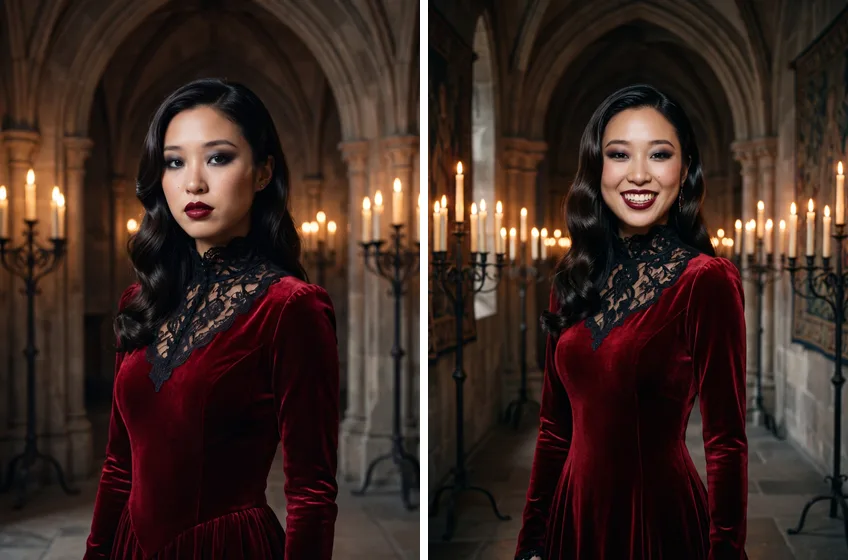
It makes sense that the big slide is the one at risk. It asks for the most change — new clothes, new place, new light — and our guess is that a glamour brief pulls the expression toward a magazine pose. The smaller edits have less to redraw, so the face survives them.
For this trend that matters more than usual. The joke only works if the glamorous slide is recognisably the same person as the last one. If slide 1 looks like a stranger, the reveal stops being a confession and becomes a different photo.
Two fixes, in order:
- Ask for your own expression by name. “Keep my own smile from the photo” did more for our likeness than the facial-features clause did.
- Check slide 1 against slide 4 before you post. Put them side by side. If you would not recognise yourself, regenerate before you build the rest.
Costume Ideas That Work as Slide 1
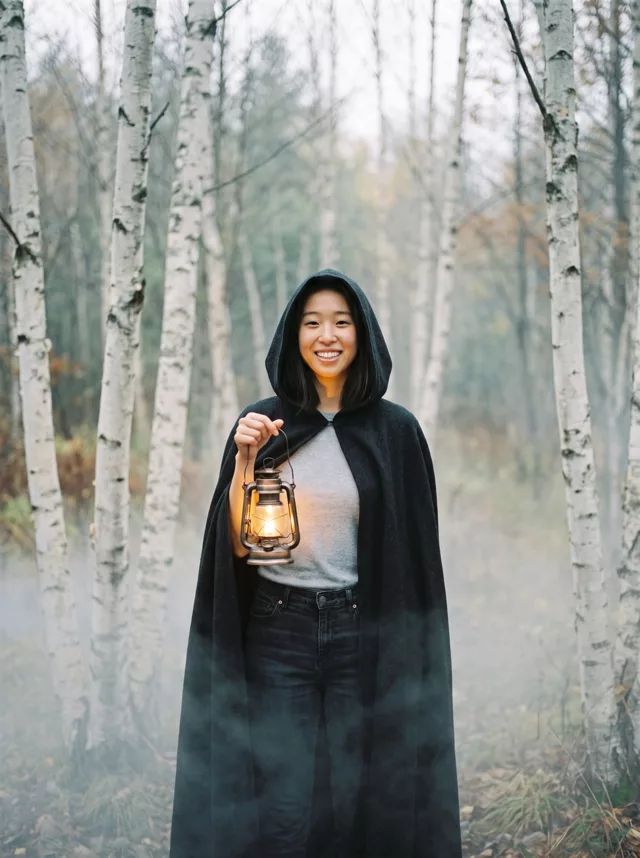
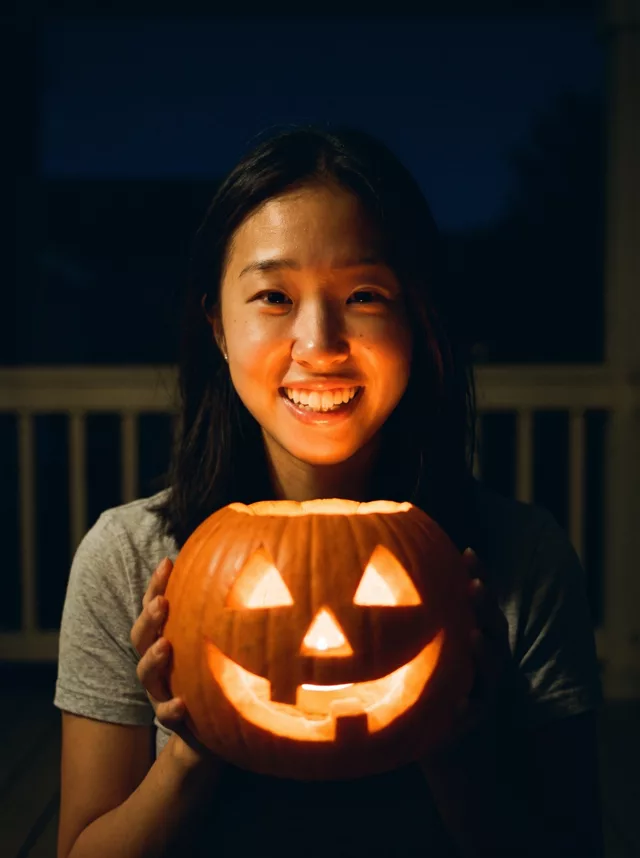
Anything with a clear costume, a clear place and clear makeup gives you three lies to remove. If you would rather start from something we have already tested, our Halloween prompts make good first slides: the witchy woods portrait (cloak, misty forest, lantern) and the jack-o’-lantern glow (pumpkin light, night porch). Strip them back one element at a time the same way.
To write a slide 1 for an idea of your own, the prompt generator builds a prompt with the identity clause already in it.
Before You Post It
The whole trend is a confession that the first slide was edited, which makes it one of the more honest AI formats around. Still label it — our guide to labeling AI edits covers what each platform asks for.
Bored Panda’s piece also notes users warning each other to think twice before uploading personal photos to AI tools just to join in. Use photos of yourself, or of people who have agreed to it, and keep children’s photos out of tools you have not checked.
FAQ
Can I use a childhood photo instead of a selfie?
Yes, and many posts do. Old photos are often small and soft, though, which gives the model less of your face to keep. Our guide to good source photos explains why that matters more on the big slide.
Why not just edit slide 1 down to make the others?
Each edit redraws the face again. Starting every slide from the original keeps all of them anchored to the real you, which is the photo the carousel ends on.
How many slides should it have?
Three improvements and the original — four slides — kept ours clear. More slides mean more generations, and more chances for one face to drift.