Step 2 · Photo → Video
Rain on the Window
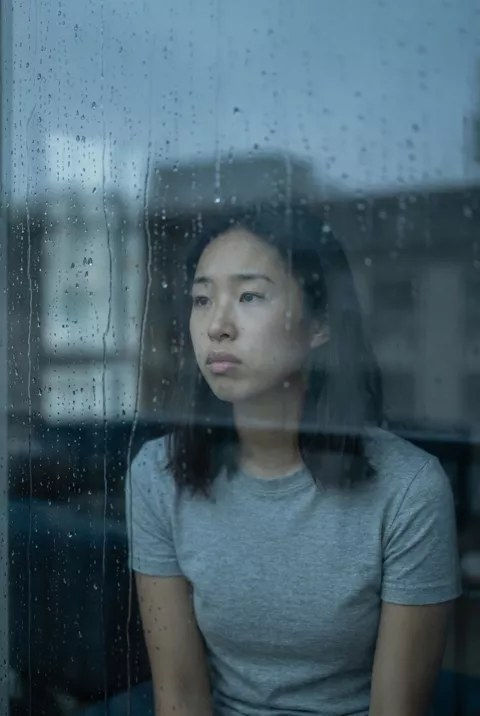
Rain sliding down the glass, a slow glance — quiet, cinematic melancholy.
The prompt
Animate this photo so soft rain streaks down a window in the foreground while the person inside stays mostly still, breathing gently and glancing slowly toward the window. Keep the face exactly as in the photo. Muted blue-gray tones, quiet melancholic mood, static camera, 5 seconds.
How to use it
Only edit photos you have permission to use, including permission from the people pictured.
- Choose an image with the light, weather, or loose fabric that the selected motion needs, and keep the main subject easy to inspect.
- Upload the source to an image-to-video tool compatible with this prompt (Kling / Veo (image-to-video)), then paste the prompt. Keep only the small movements you want; remove extra head turns or gestures rather than asking for all of them at once. Request 5 seconds where the tool allows it; this is the requested clip length, not a generation-time estimate.
- Watch the full clip for drifting features or a moving background that should stay still. If you intend to loop it, compare the end with the beginning.
- Download the accepted clip and label it as AI-made when sharing. Keep the source still so you can compare later revisions.
What happened when we tested it
This prompt asks for the thing that costs you the likeness. 'Glancing slowly toward the window' means the model only ever has three-quarters of a face to work from, and ours drifted in the nose and jaw across the five seconds. Change it to 'looking straight ahead' if the face matters more than the mood. The camera pushed in despite 'static camera' — treat that instruction as a hint, not a lock. Rain on the glass and the blue-grey grade are dependable.