Step 1 · Photo → Aesthetic
Victorian Spirit Photo
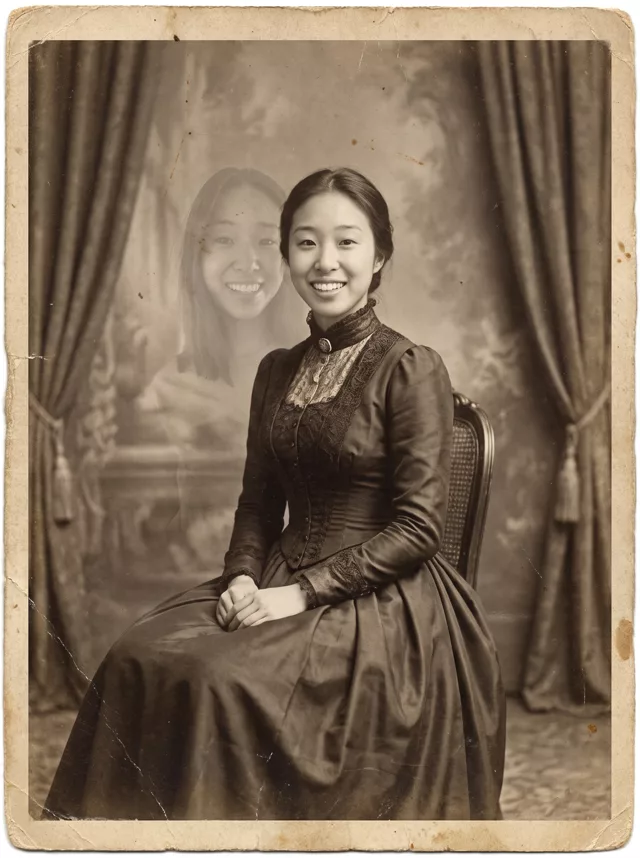
The 1800s spirit photograph: you seated in period dress, with a second, translucent you hovering behind your shoulder.
The prompt
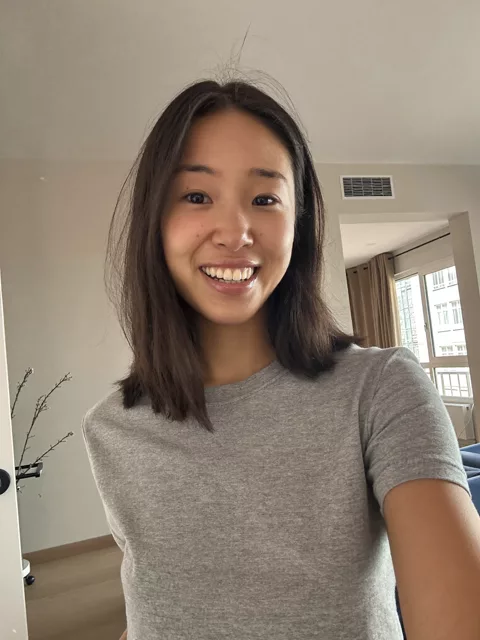
Transform this photo of me into a Victorian spirit photograph. Sepia-toned and softly faded, printed on aged card with visible paper texture and slightly worn edges. I am seated formally in period dress, and a faint translucent double exposure of myself appears just behind my shoulder, semi-transparent like a ghost captured on an old plate camera. Keep my exact facial features unchanged in both the solid figure and the translucent one. No text anywhere in the image.
How to use it
Only edit photos you have permission to use, including permission from the people pictured.
- Start with a clear source rather than adding retro effects to an already heavily filtered image.
- Attach the source in an AI image editor compatible with this prompt (Gemini · ChatGPT (any AI image editor)), then paste the prompt. Keep the period or recording format in the prompt consistent. Specify any requested date or lettering, or remove the text request.
- Check facial detail beneath the noise, scan lines, or print texture. Read any labels and reduce effects that make the subject hard to recognize.
- Save the accepted image separately from the original and label it as AI-edited when sharing. Use the saved edit as the source if you choose to animate it next.
What happened when we tested it
The ghost is not re-posed — it comes back as your source photo made semi-transparent, modern haircut and all, which is oddly convincing next to the period-dressed figure but will not match if you wanted a matching costume on both. The aged-card framing is what sells it; drop “printed on aged card with worn edges” and you get a clean sepia portrait with a faint smudge behind it instead of something that looks found in an attic.